There is a peculiar moment every mechanical keyboard enthusiast recognises. It arrives after the honeymoon phase, once the novelty of RGB lighting has faded and the click of fresh switches has become background noise. You sit back, look at your desk, and wonder whether the tool in front of you is genuinely helping your work or simply occupying space. I reached that crossroads in January 2026. I owned seven keyboards. None of them felt indispensable.
Then a colleague in Shoreditch mentioned a 75% layout board built from a single block of aluminium. He described the weight first, almost two kilograms of machined metal. Then he mentioned the gasket mounting system, a phrase that meant little to me at the time. By March, the rest of my collection had been listed on marketplace forums. This is the story of how a single piece of hardware redefined my daily workflow and, I suspect, will redefine yours too.
The Goldilocks Problem of Keyboard Layouts
Full-size keyboards dominated offices for decades because they offered every key a user might conceivably press. The reality, however, is that most people rarely touch the numpad after their first week of spreadsheet work. That unused real estate forces your mouse further to the right, straining your shoulder over time. Ergonomists have warned about this for years, yet the full-size form factor persists out of inertia rather than logic.
At the opposite extreme, the 60% layout strips away nearly everything except alphas and modifiers. It looks spectacular on Instagram. In practice, accessing arrow keys requires a function-layer combination that interrupts flow state during coding or editing. Writers and developers who tried the 60% trend in 2024 and 2025 have quietly migrated back to larger layouts, admitting that minimalism without function is merely inconvenience dressed as aesthetic.
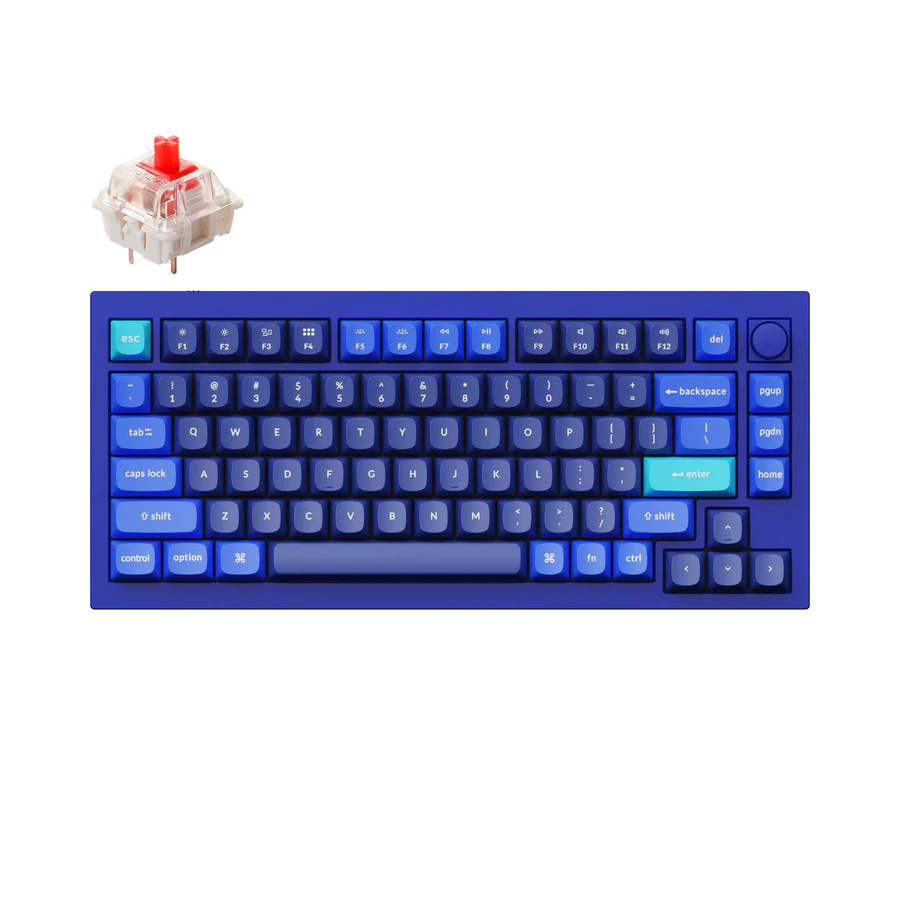
The 75% layout sits in the precise sweet spot between these extremes. It retains the dedicated arrow cluster, the function row, and a handful of navigation keys that power users genuinely need. Crucially, it does so without expanding the footprint beyond roughly thirty centimetres in width. Your mouse stays within comfortable reach. Your desk breathes. Your posture improves.
First Impressions: Weight as Philosophy
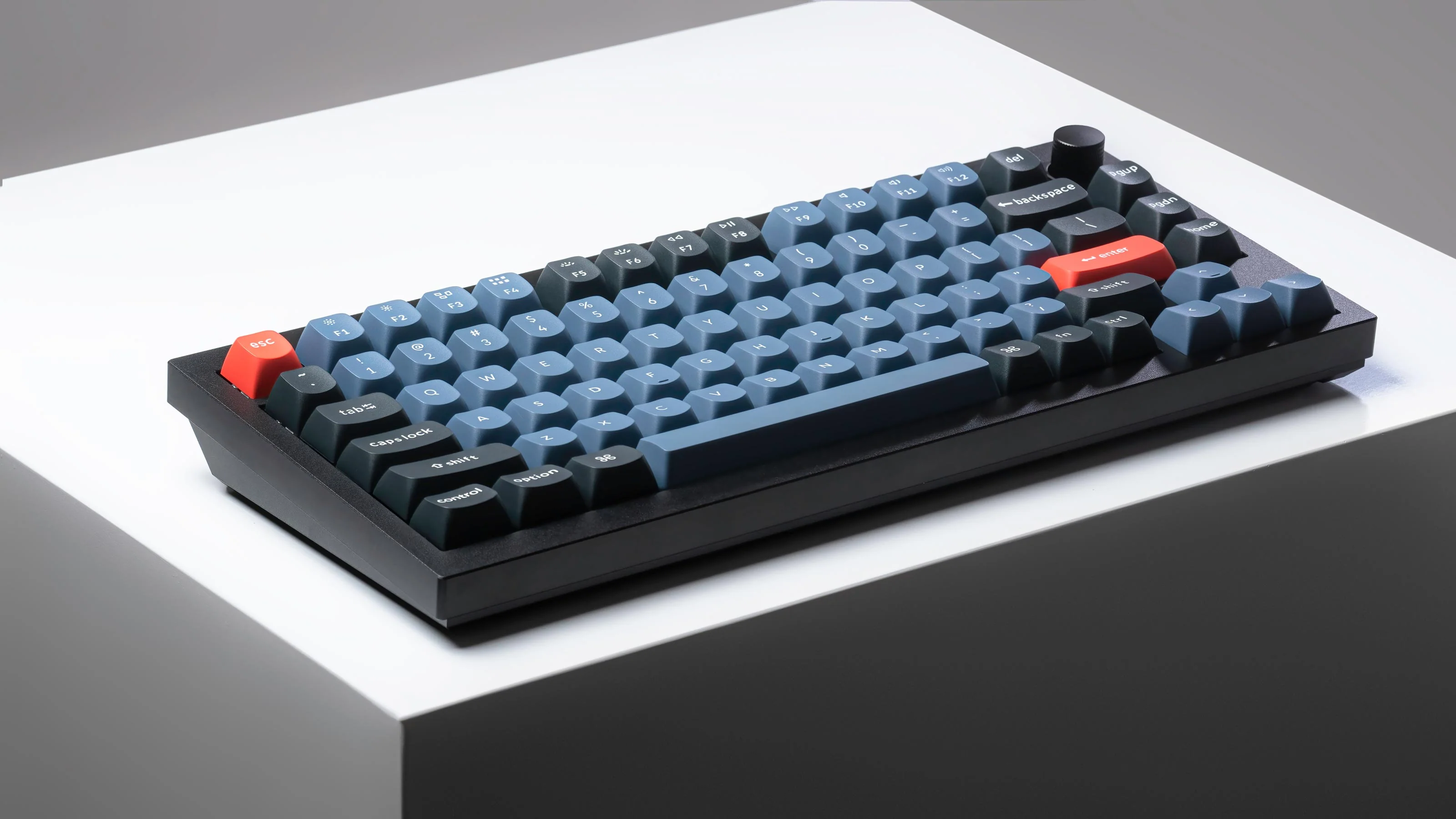
When the parcel arrived at my Covent Garden flat, I assumed the courier had delivered two items by mistake. The box was compact, barely larger than a shoebox, yet it weighed as though it contained a vintage cast-iron skillet. Inside, nested in dense foam, sat a keyboard chassis machined from 6063 aluminium.
This is not aesthetic extravagance. The mass serves an acoustic purpose. A heavy chassis dampens resonance from switch impacts, creating the deep, muted thock that enthusiasts describe in hushed, reverent tones. Cheap plastic boards rattle and ping. Aluminium absorbs that energy and returns only the pure sound of the switch mechanism itself. The first time I typed a full sentence, I stopped and listened. It sounded expensive.
The finish deserves mention. Anodisation has been applied with the kind of consistency usually reserved for aerospace components. There are no tooling marks, no uneven textures where the CNC bit changed direction. The chamfered edges catch desk lamp light in a way that photographs poorly but delights the eye in person. It is the sort of detail you notice during late-night work sessions when the rest of the room is dark and the keyboard becomes the only object in focus.
The Science of Gasket Mounting
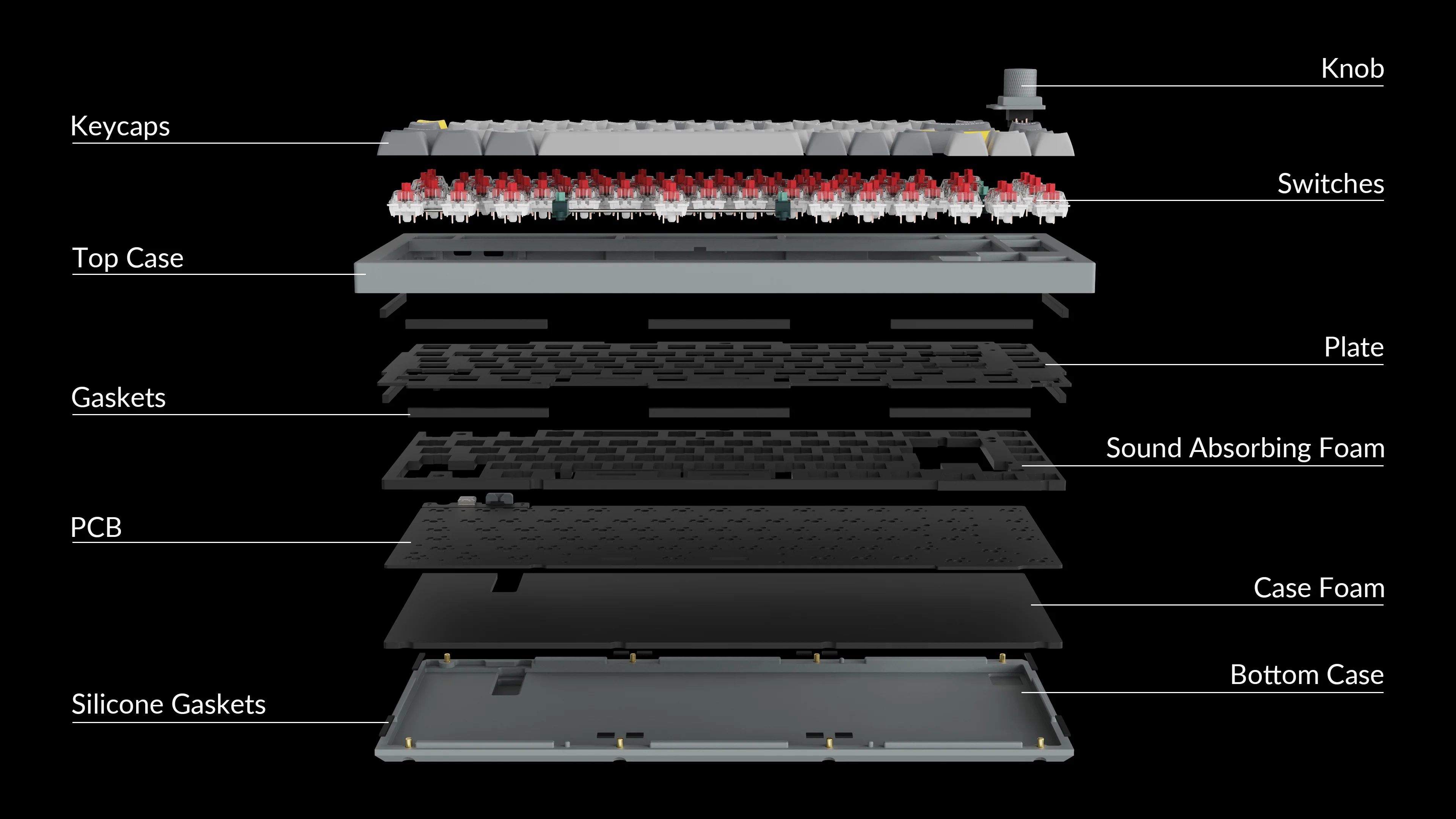
Most mass-market keyboards secure their internal circuit board directly to the bottom chassis with screws. This creates a rigid connection that transmits every keystroke vibration into the case, amplifying noise and creating the thin, metallic ping that plagues budget boards. Typing feels harsh because there is no compliance in the system. Your fingers strike a solid wall.

Gasket mounting changes the physics entirely. The circuit board, or PCB, is suspended within the chassis using strips of compressible foam or silicone. There are no metal-to-metal contact points. When you press a key, the entire assembly flexes slightly downward, absorbing the impact energy before it ever reaches the aluminium shell. The result is a typing sensation that enthusiasts compare to landing on a springboard rather than concrete.
The difference is not subtle. After two weeks on a gasket-mounted board, returning to a traditional tray-mount keyboard feels almost violent. Your fingers expect forgiveness and meet rigidity instead. It is comparable to switching from running on pavement to running on a professional track surface. The mechanics are identical, yet the cumulative comfort over thousands of keystrokes is transformative.
Hot-Swap Switches: The End of Compromise
For years, choosing a mechanical keyboard meant choosing a marriage. You selected your switches at purchase, soldered permanently to the circuit board, and lived with that decision until you bought an entirely new keyboard. If your tactile switches proved too fatiguing for long writing sessions, or your linear switches felt vague during coding, you had no recourse except starting over.
Hot-swap sockets change that equation. The PCB arrives with individual Kailh sockets that accept standard switch pins without solder, without tools, without technical expertise. You can change every switch in this board in under fifteen minutes using nothing more than a keycap puller and steady hands. I have cycled through three switch profiles in as many months, refining my setup as my workload shifted from heavy writing to intensive data analysis.
The current configuration runs linear switches for the alphas and tactiles for the modifiers, a hybrid layout that took three minutes to assemble and would have required a soldering station and an evening of frustration on any traditional board.
Configure Your Build
Choose from pre-lubed linear, tactile, or clicky switch options. All configurations ship with a switch puller and keycap tool included.
View Switch OptionsKeycaps That Outlast the Board
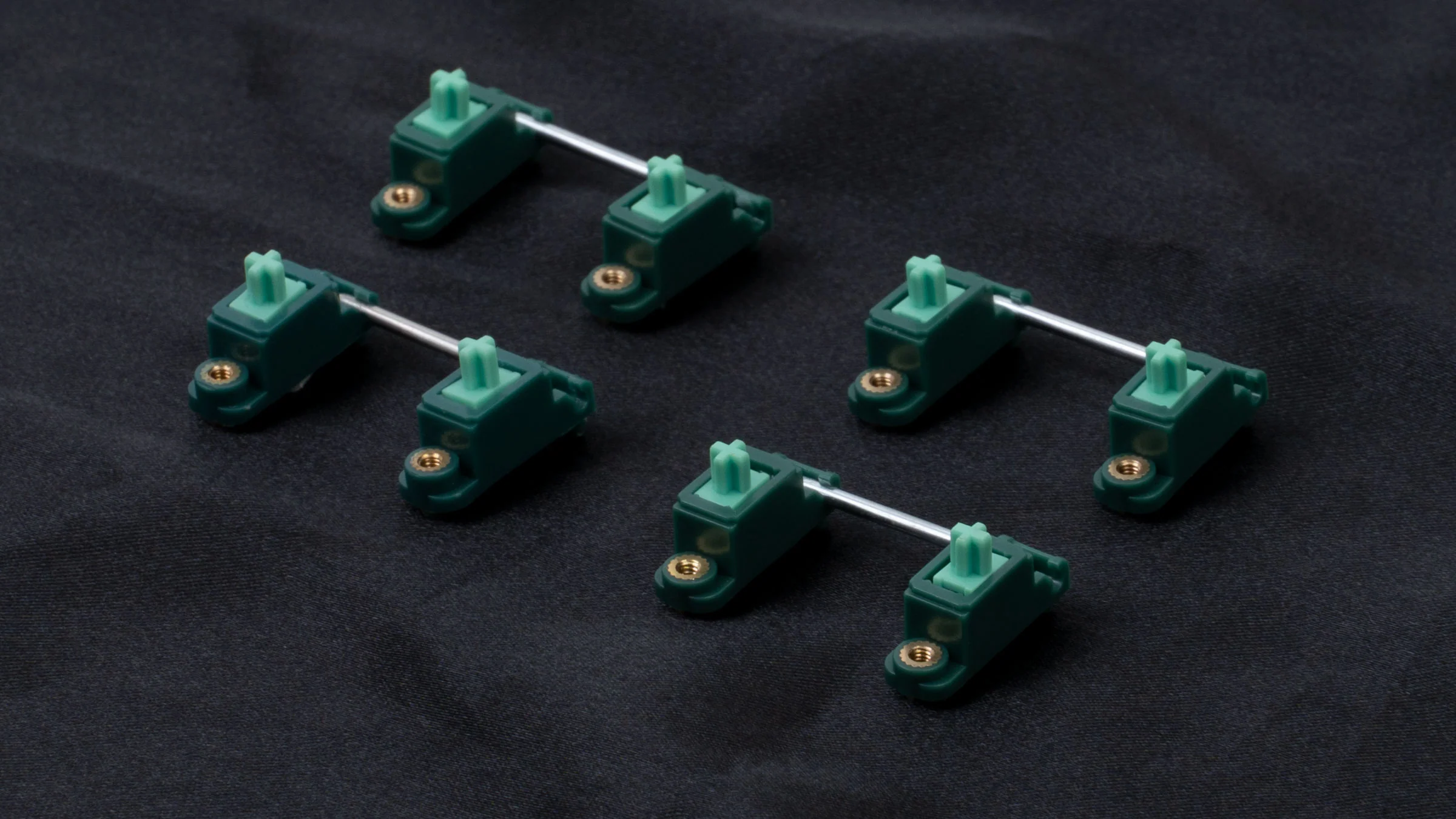
The stock keycap set is moulded from doubleshot PBT, a plastic compound that resists the oily shine that renders ABS keycaps greasy within months of daily use. The legends, the letters printed on each cap, are physically injected as a second layer of plastic rather than painted on. You could use these keycaps for a decade and the lettering would remain as crisp as day one.
The profile follows an OEM sculpt with a gentle cylindrical curve that cradles fingertip pads without forcing an unnatural reach. After extended typing sessions, I notice less fingertip fatigue than with aggressive Cherry profiles or the increasingly popular flat XDA sets. It is a conservative choice, but conservatism in ergonomics is often wisdom masquerading as caution.
Programmability Without the Headaches
Custom firmware has traditionally been the domain of hobbyists willing to compile code and flash microcontrollers through command-line interfaces. The barrier to entry was high enough that most users simply accepted the default layout their keyboard shipped with, even when that layout made no sense for their specific workflow.
VIA support changes the accessibility equation entirely. You connect the keyboard via USB, open a browser-based configuration tool, and remap any key to any function through a visual drag-and-drop interface. No coding. No firmware flashing. No risk of bricking your device. I remapped my right-hand modifiers to macro shortcuts for my most frequent IDE commands within ten minutes of unboxing.
The rotary encoder, a metal knob positioned in the upper right corner, adds another layer of utility. In default configuration it controls system volume, which is genuinely useful during video calls. Through VIA, I have reassigned it to scroll through browser tabs during research sessions and to zoom in my CAD software during design reviews. A single hardware input becomes contextually intelligent based on which application is active.
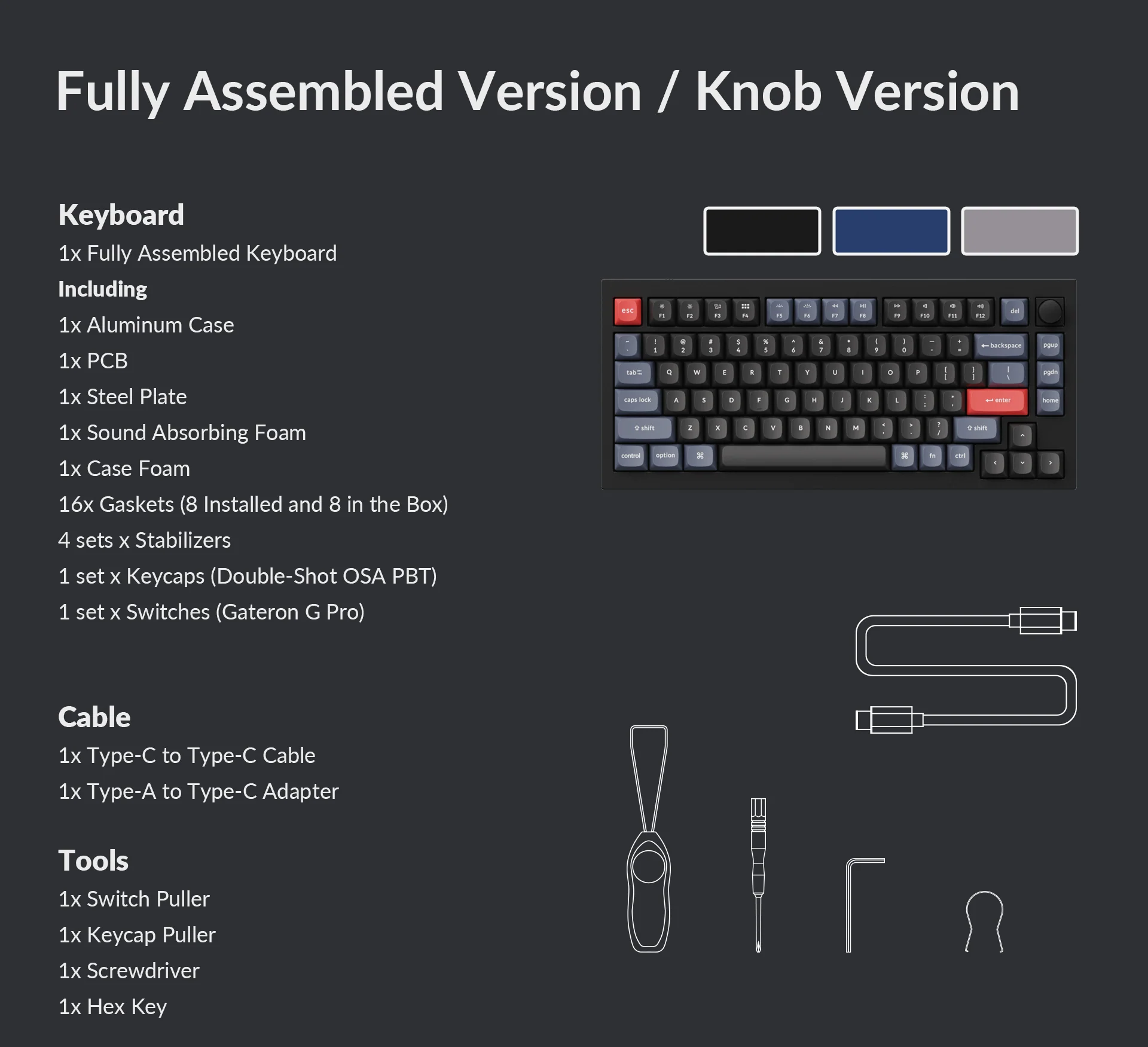
Ships with full VIA compatibility and open-source QMK firmware support.
Check AvailabilityThe Verdict: A Tool, Not a Toy
The mechanical keyboard market in 2026 is saturated with products that prioritise spectacle over substance. RGB lighting schemes that sear retinas. Cases sculpted like gaming spaceships. Switches marketed with absurdly high actuation forces that guarantee repetitive strain injuries. Against this backdrop of excess, the board reviewed here feels almost radical in its restraint.
It does not light up your room. It does not require proprietary software that phones home to remote servers. It does not attempt to be a lifestyle brand. It is simply a precisely engineered tool for people who spend their days creating things through keystrokes. The aluminium is there for acoustics and longevity, not vanity. The gasket mount is there for your joints, not marketing bullet points. The 75% layout is there because someone studied how human hands actually move across a desk.
After three months of daily use across writing, programming, and design work, I cannot identify a meaningful flaw. The USB-C cable is detachable and replaceable, addressing the most common point of failure in modern peripherals. The rubber feet provide enough grip to prevent sliding on glass desks without collecting dust. Even the packaging was recyclable cardboard rather than the plastic clamshell hell that most electronics ship in.
If you use a keyboard for more than three hours daily, the question is no longer whether this board justifies its price. The question is whether your current board justifies the physical cost it extracts from your wrists and shoulders.